

01The walk
Head up.
Find your pace.
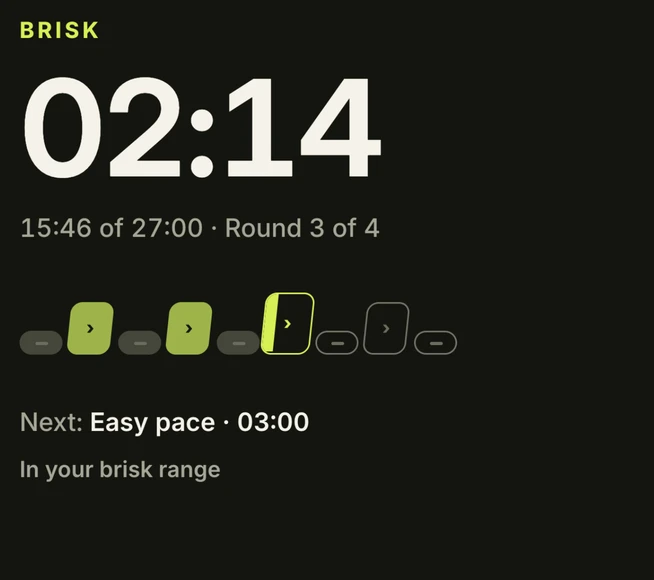
Hear when to switch. A clear timer and the Rhythm Strip keep the next interval easy to see.
Japanese walking, guided.
A little easy. A little brisk.
Audio cues that guide your intervals,
so you can focus on your walk.
EasyBrisk for iPhone. Your next walk starts here.

Take it on your next walk.
Scan with your iPhone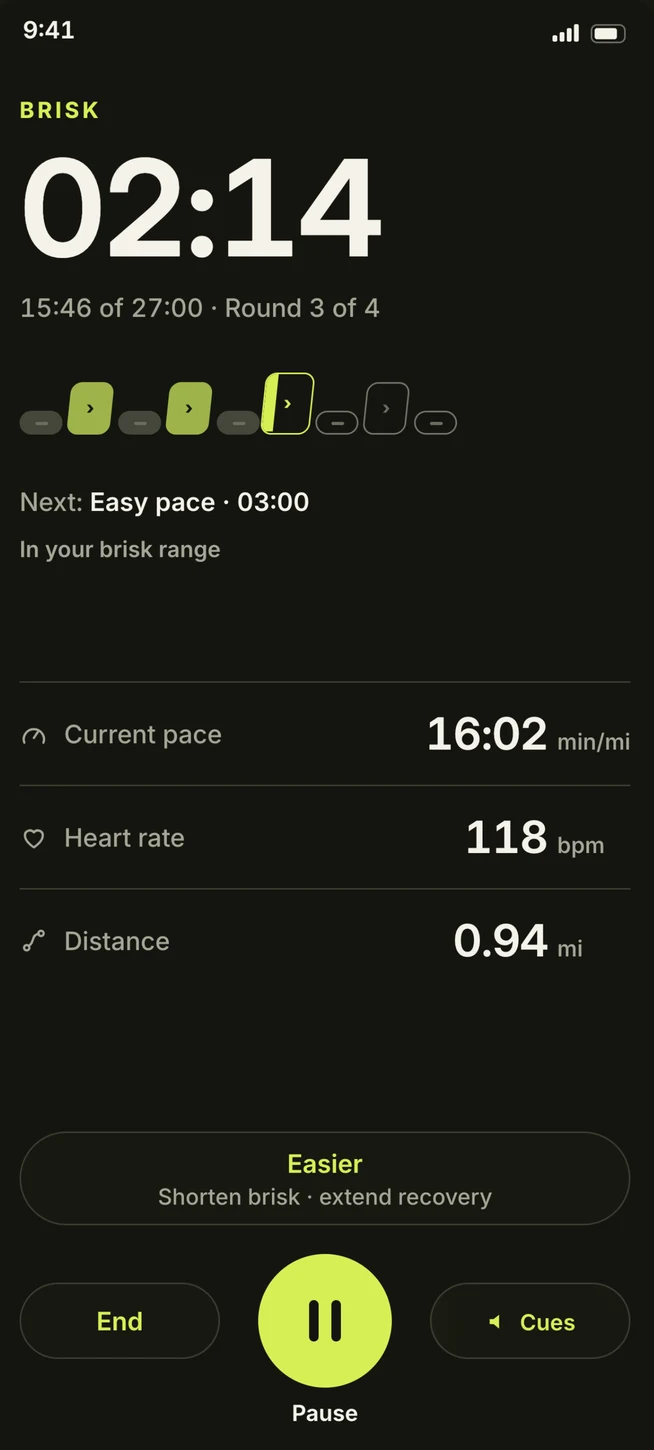
01 / A CHANGE OF PACE
Alternate three minutes of easy walking with three minutes of brisk walking. EasyBrisk keeps time and guides each change. Get a feel for it below.
MEET YOUR WALKING RHYTHM
Easy pace · 3 minutes.Settle into a comfortable walk.
A 12-second illustration of three-minute intervals.
02 / ALONG FOR THE WALK
01The walk
Hear when to switch. A clear timer and the Rhythm Strip keep the next interval easy to see.
02The plan
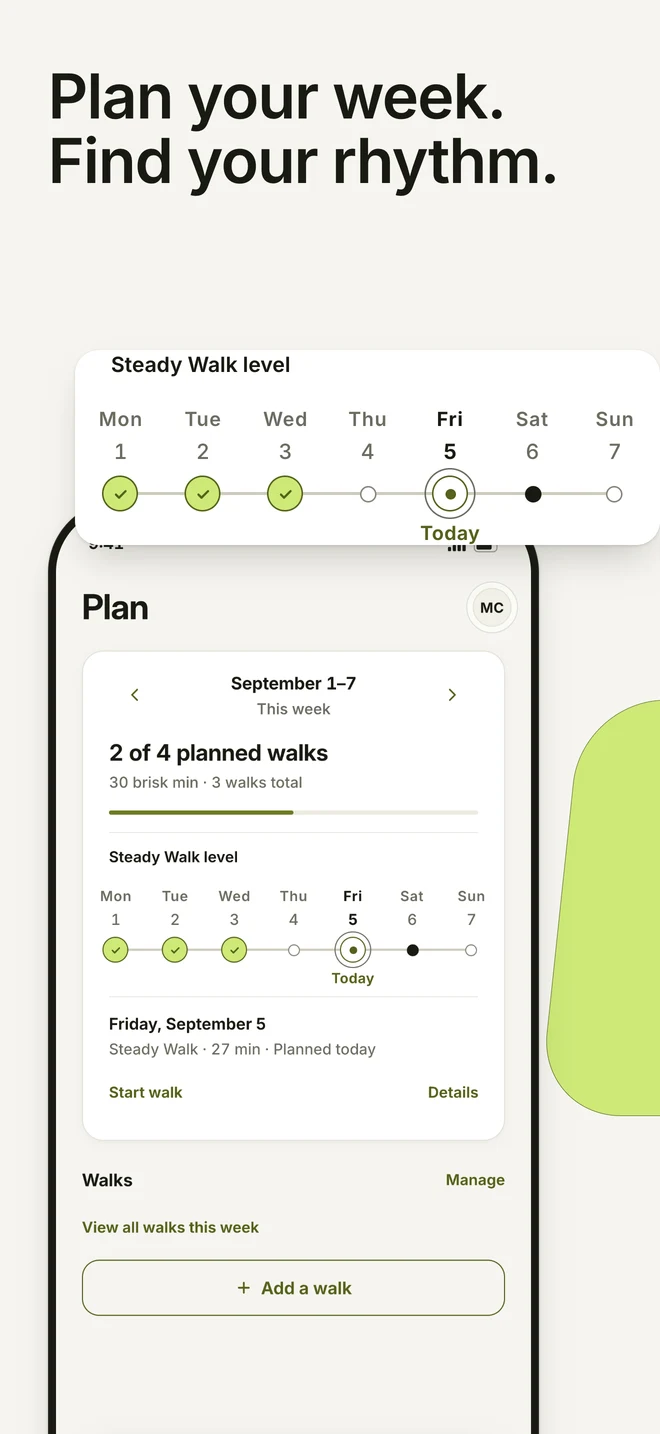
Choose your walking days, set a reminder, and adjust your week in Plan. Make room for a routine that fits your life.
03The progress
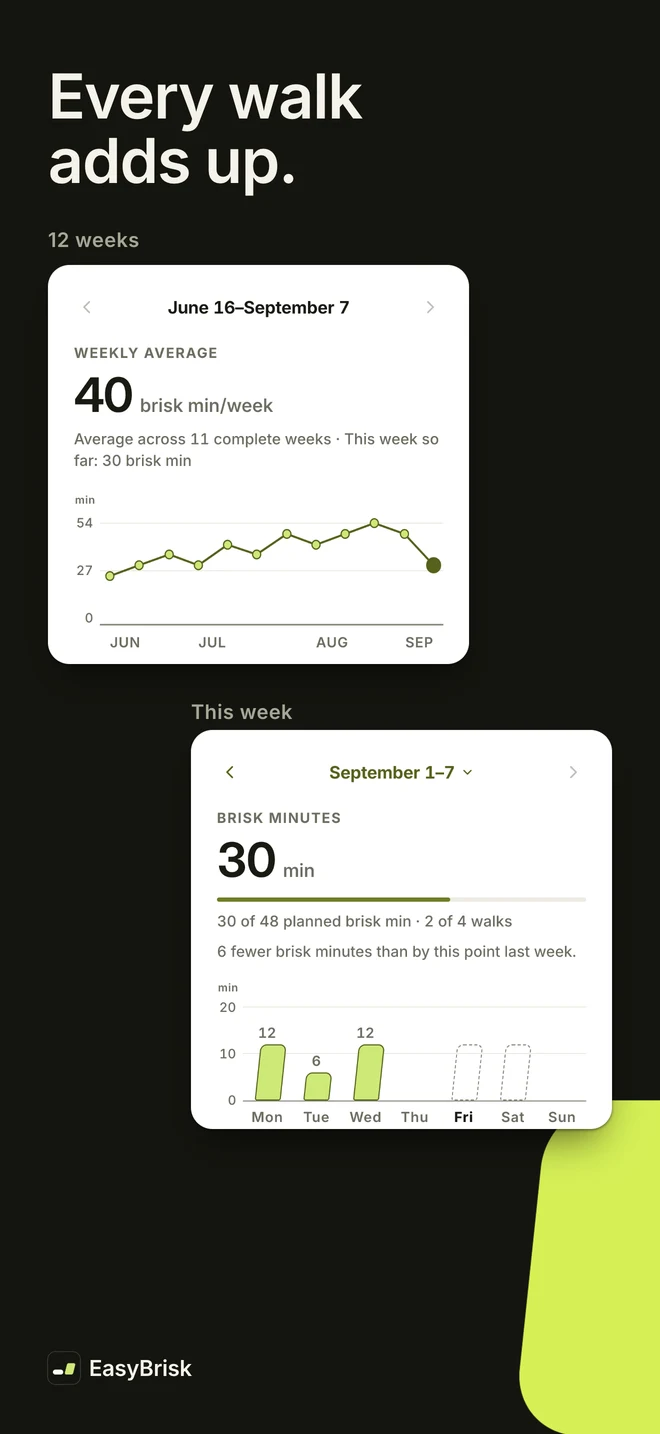
Look back at the walks you’ve recorded. See your brisk minutes and your week, with the details in one place.
A LITTLE LESS TO THINK ABOUT
Clear guidance. Room to adjust.
A routine that feels like yours.
Audio cues tell you when to change pace.
Apple Watch is there if you want it.
No account to create. Your walking records stay on your devices.
Japanese walking alternates easy and brisk walking, commonly in three-minute intervals. Walk at an easy pace, then pick up the pace for the brisk interval. EasyBrisk guides each change so you can focus on your walk.
Walks begin with a gentle warm-up, followed by alternating brisk and easy intervals. The number of rounds depends on your level. Choose a session in the app that suits your day.
No. You can walk with just your iPhone. If you use an Apple Watch, EasyBrisk can also show your current interval and heart rate, and tap your wrist when it is time to change pace.
Yes. Choose an indoor walk for treadmill speed guidance for each interval, with a heads-up ten seconds before a pace change. You can adjust the suggested speeds to suit you. You control the treadmill yourself.
Check the App Store for current pricing and any in-app purchase information in your region.
View EasyBrisk on the App StoreNo account or sign-in is required. Your walking records and preferences stay on your devices. See the app’s privacy policy for details, including optional Apple Health access.
Read the app privacy policyYOUR NEXT WALK STARTS HERE
Easy and brisk intervals.
Guided on your iPhone.